
Originally published on WeChatWiki, last updated September 21, 2021. Republished by Nanjing Marketing Group. Some information may be outdated.
At the height of the pandemic in China during early 2020, the WeChat team launched WeChat Channels.
It’s a dedicated space which looks like a video feed for content creators, brands, businesses and individuals to reach a (new) audience beyond their circles of WeChat friends/followers: WeChat Channel / 微信 channels / 微信 视频号.
When designing a WeChat strategy, this new touchpoint can be seen as the convergence of opportunities:
- the significant growth of the short video APP industry segment
- the increasing popularity of this medium
- the dominant base of WeChat’s monthly active users (1.15 Billion WeChat User & 300 Million WeChat Daily Active Mini Program early 2020)
1. Introduction to WeChat Channel
What is WeChat Channels / 微信 Channels / 微信视频号?
In short it’s essentially a video platform within China’s most popular app
This is a new featurewithin the WeChat ecosystem that allows users, influencers and brands to create and post short-form contents and distribute them through a media feed:
- videos – up to 1 hour in length (from Q2 2021) with a video size of 2GB
- photos – up to 9 pictures in succession
In complementary, further information can be added to the post:
- several hashtags to define topics – feature to improve discoverability within this channels section
- a WeChat Official Account article link – bridge to a Wechat OA
- a location
This space is another way for brands and businesses to reach new audience with a popular type of content (video form) enhanced by live-streaming and eCommerce functions.
Synonyms that can be found online and offline
- WeChat Video Account
- WeChat Video Channels
- 微信 Channels
- 微信 视频号
How does it look like?
It looks like a video feed/timeline where the content creators and short video influencers can share posts with videos and pictures under their personal account or their official account.
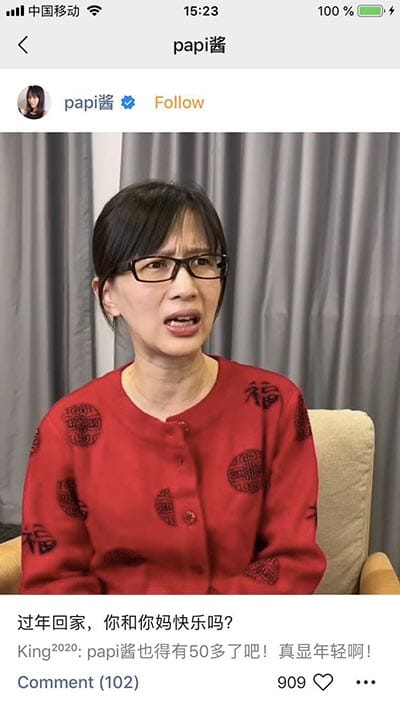
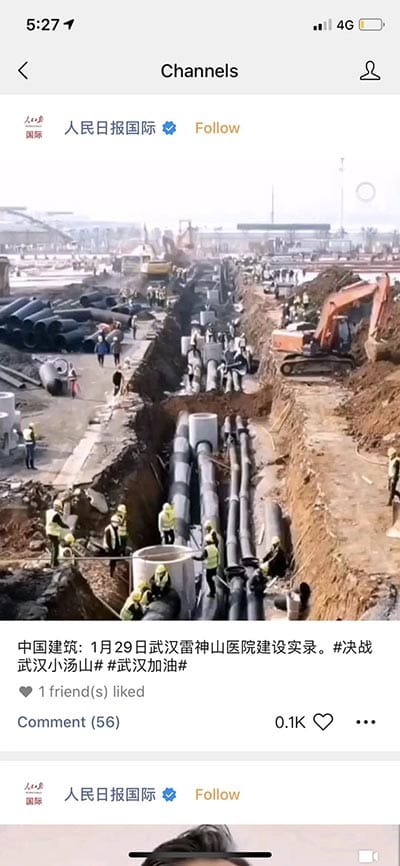
The contents are listed in one column, just like TikTok, and play automatically when scrolled over. From June 2020, there are three main filtering tabs :
- ‘Following’ tab – content from the WeChat Channels accounts you follow
- ‘Friends’ tab (default tab) = feed with filtered content showing the most liked videos by WeChat friends
- ‘Trendy’ tab = feed with popular posts recommended by WeChat – content from other account that the user don’t follow
And location-based filtering has been added in the top navigation bar with the location icon to see nearby contents:
- Location ping icon = to access a listing of content published by a nearby user
How does it work?
A similar type of feed as the popular short-video Chinese APP called: Douyin (Tik Tok as it’s known internationally) or Kuaishou. The users can scroll through the feed infinitely to discover what their friends & their favourite brands have posted as well as content from the other users, influencers and public accounts.
User can like, comment, share a post and follow the publisher within the separated Channels feed.
But these videos can also be shared on :
- an WeChat individual chat
- a WeChat group chat
- WeChat Moments
From there, the videos can be re-shared if they like enabling viral loop.
This feed is ruled by an algorithm which displays content not only from your WeChat contact or the WeChat Official / WeChat Video Account you follow but also from the rest of WeChat. From Channels, WeChat users are able to explore content and follow users that are not in their contact and WeChat Official Accounts that they are not following.
So this is considered as a new trajectory to increase discovery on WeChat, which has been a rather closed ecosystem by principle (in terms of privacy settings and discoverability) from the beginning. For example, the other WeChat user feed called Moments is only visible to the user’s social circle.
It enables brands and businesses to grow using organic sharing and leveraging audience engagement by reaching the audience outside of the user’s social circle can also increase engagement.
Here are some algorithm factors to determine the content display distribution, which are mainly social signals:
- Number of likes = Popularity
- Geo-location
- Your WeChat friends/contacts’ engagements and activities
- Followed accounts
The WeChat video Channels algorithm is being iteratively improved with time in order to order to match better with users’ interests.
Search function
At the top of the video feed, there is a search bar. This tool provides users with the capability to discover content outside of your followers as well as WeChat’s friends and contact.
Users are able to search videos by hashtags.
The search function retrieves 2 types of results:
- Post
- WeChat video Account
Sharing mechanism
After a post from the Channels is shared with a friend or in a WeChat group, the shared card in the thread looks very similar to a Mini Program shared card.
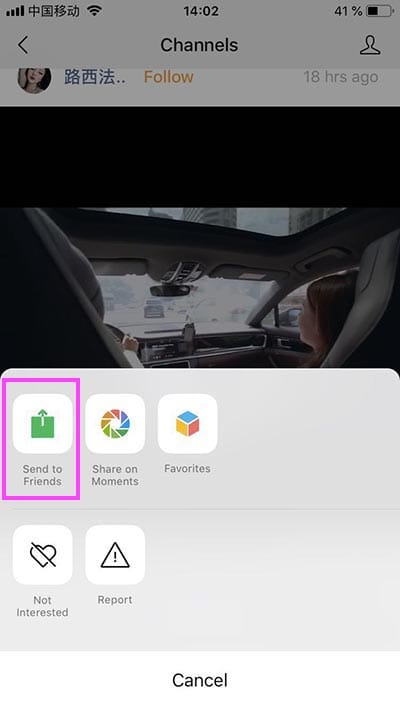
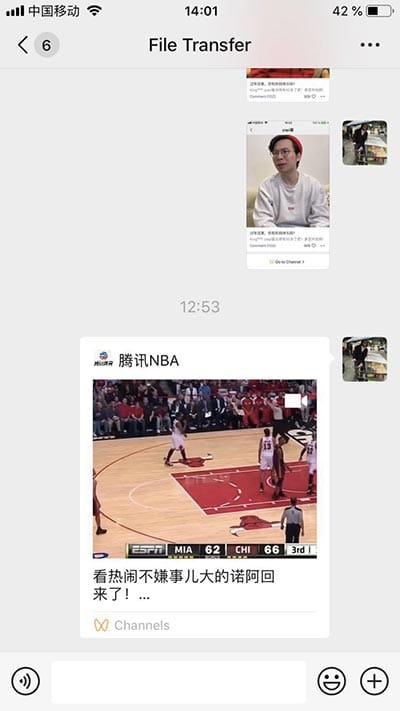
After a post from the Channels is shared on WeChat Moments, the shared link in the feed looks alike a WeChat Article link.
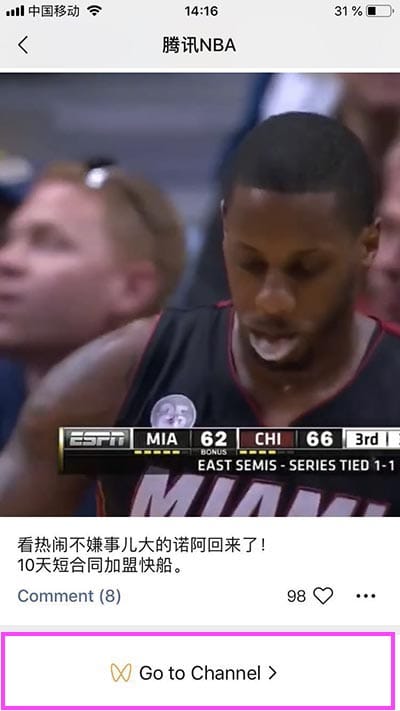
When clicking on the Channels-related Post shared card, the user is taken to a separate landing page where there is a ‘Go to Channel’ CTA to access back the timeline.
Web platform for admin roles
Your WeChat Channels is totally new account, different from your OA even though you can connect them. When creating an account, there is zero followers.
Besides the profiles setting accessible from the WeChat native APP, this account can be managed through a [desktop/web] app:
- URL to access the web interface : https://channels.weixin.qq.com/index
Admin features :
- Analytics
- Follower manager
- Admin features
2. Marketing on WeChat Channels
How to leverage it
- Better brand experience with richer and far more engaging content
- Tailored message for a specific audience aligned with WeChat users who chart their own course.
- Feed less algorithm driven compared to Duoyin and TikTok : Those users get videos based on ones they liked before, so marketing on those platforms requires a wide target.
- Complete control over the content
To support brands’ strategy, on a WeChat Channels post, you can can link to :
- a WeChat article
- a WeChat Mini Program
WeChat Channels case studies
- Focus on generating awareness and direct engagement with the users rather than hard selling: Prada built their first Channels campaign in March 2020. The campaign, called “Hidden Poems”
- Brand Concept by establishing a brand image
3. How to post on Channels
Pre-requisite: register to be able to post on WeChat Channels
How to register to WeChat Channels to start posting on the Channels timeline
From a WeChat personal account, you can apply to post by clicking on the camera icon on the top right top of the screen:
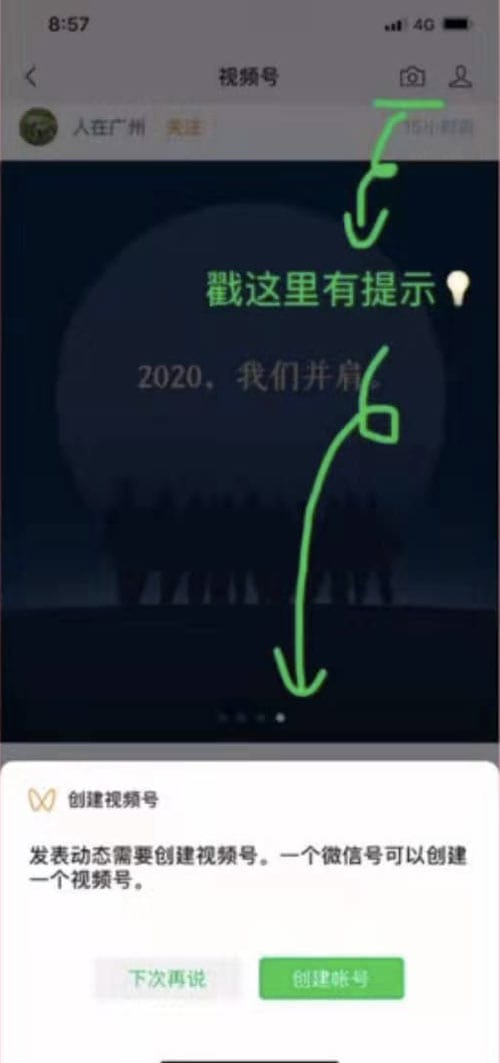
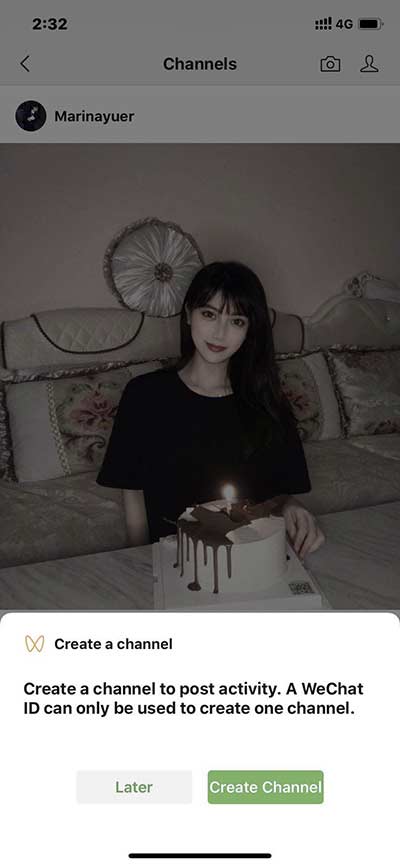
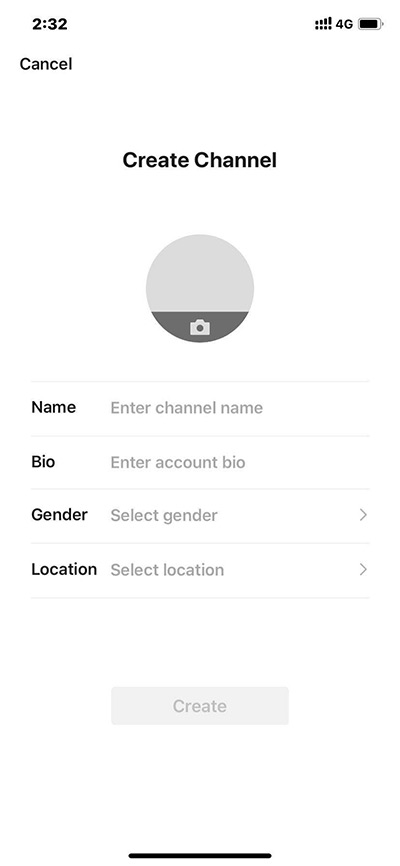
Information to fill in during the registration as your Channels profile:
- Name
- Brief description
- Gender
- Location
Once your WeChat video profile/account is created, you are able to start posting.
Functions accessible from WeChat Channels Dashboard:
- List of WeChat Channels Account you follow
- List of followers
- Number of views
- List of interactions (comments / likes / notifications) with your WeChat Channels Account
WeChat is rolling out the feature progressively, so this ability to register to post is not open to everyone at the moment:
- March 2020: in the testing phase with some brands such as Louis Vuitton
- February 2020: publishing privileges have only been extended to KOLs.
- January 2020: feature in beta testing
How to post
For now, there are 2 options to post on WeChat Video feed:
- upload a short-form video
- take a new video
Reading further
4. How to access the section ‘WeChat Channel’?
There 2 mains entry points to drive traffic.
From the ‘Discover’ section
This feature is accessible from the ‘Discover’ section in the main menu.
The ‘Channels’ item is just below below ‘Moments’ item.
‘Discover’ > ‘Channels’
From the sharing mechanism
‘Go to Channel’ CTA in the landing page after clicking on the Channels-related Post shared card
5. How to get a WeChat Channels profile/account verified
WeChat Channels allows a newly created WeChat Channels profile/account to be verified by linking it with an existing verified Official Account.
There are 2 types of verification level:
- Personal verification
- Corporate verification
Companies like Tesla and Louis Vitton have created Channels accounts
Corporate verification
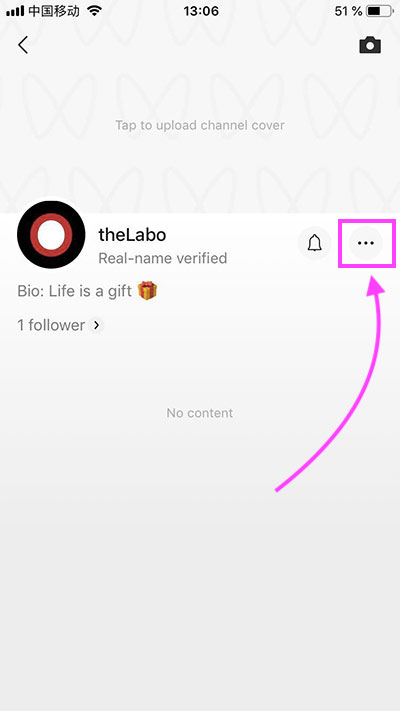
- Go to Channels account dashboard
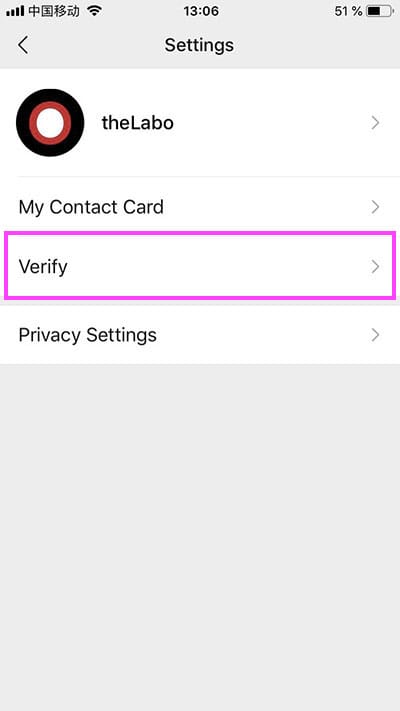
- Access the settings menu by clicking on the ‘3 dots’ icon
- Start the linking process by clicking on the ‘Verify’ icon
- Choose ‘Corporate verification’
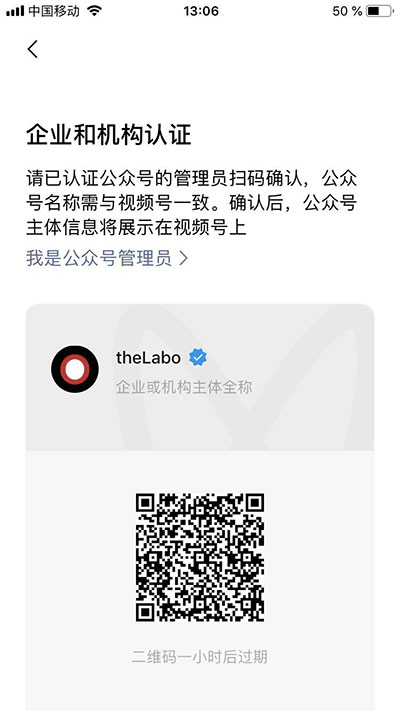
- A QR code is generated (expiration time: 1 hour)
- A verified Official Account Admin (not an Official Account operator) must scan the QR code
- Done !

WeChat Channels dashboard Settings QR code to scan